Play a sound when Claude Code finishes or needs your input
Prompt, walk away, and let Claude Code tap you on the shoulder — a sound when it finishes a task, and a different one when it's waiting on your input or a permission prompt. Here's the 2-minute setup, free, using a built-in macOS command.
Add this to ~/.claude/settings.json and start a new session. You'll hear one sound when Claude finishes and a different one when it needs you:
{
"hooks": {
"Stop": [
{ "hooks": [ { "type": "command", "command": "afplay /System/Library/Sounds/Glass.aiff &" } ] }
],
"Notification": [
{ "hooks": [ { "type": "command", "command": "afplay /System/Library/Sounds/Funk.aiff &" } ] }
]
}
}Why this works
Claude Code fires hooks on lifecycle events, and a hook just runs a shell command. Two events matter here:
Stop— fires when Claude finishes its turn (your task is done).Notification— fires when Claude needs your input or a permission prompt.
afplay is macOS's built-in audio player — nothing to install. Point the two events at two different sounds and you've got distinct "done" and "needs you" alerts. That's the entire trick.
Step-by-step
- Open your settings file. Edit
~/.claude/settings.json(create it if it doesn't exist). User-level settings apply to every project. - Add the hooks. Paste the
"hooks"block from the TL;DR. If you already have a"hooks"key, merge theStopandNotificationentries into it rather than replacing it. - Pick two distinguishable sounds. The goal is that "done" and "needs you" are instantly tellable apart by ear.
- Start a new Claude Code session. Hooks load at session start, so restart the CLI to pick them up.
Use your own sounds
Swap the system sound for any .aiff, .mp3, .wav, or .m4a on disk:
"command": "afplay ~/Sounds/claude-done.mp3 &"The built-in system sounds live in /System/Library/Sounds/ — Glass, Funk, Ping, Hero, Submarine, Blow, and more. List them with:
ls /System/Library/Sounds/Advanced: only alert on permission prompts
The Notification event also fires for idle nudges. To play a sound only when Claude needs permission, read the event JSON on stdin and check notification_type (requires jq):
"command": "jq -e '.notification_type==\"permission_prompt\"' >/dev/null 2>&1 && afplay /System/Library/Sounds/Funk.aiff"Troubleshooting
Run afplay /System/Library/Sounds/Glass.aiff directly in your terminal. If that's silent, it's your output device or volume — not the hook.
If the command works but the hook doesn't fire, make sure you started a new session after editing settings.json — hooks only load at session start, and only run while a session is active.
The hooks are identical everywhere Claude Code runs; only the sound command changes. Linux: paplay sound.wav or aplay sound.wav. Windows: powershell -c "(New-Object Media.SoundPlayer 'C:\path\sound.wav').PlaySync()".
Skip the setup: MacYaps
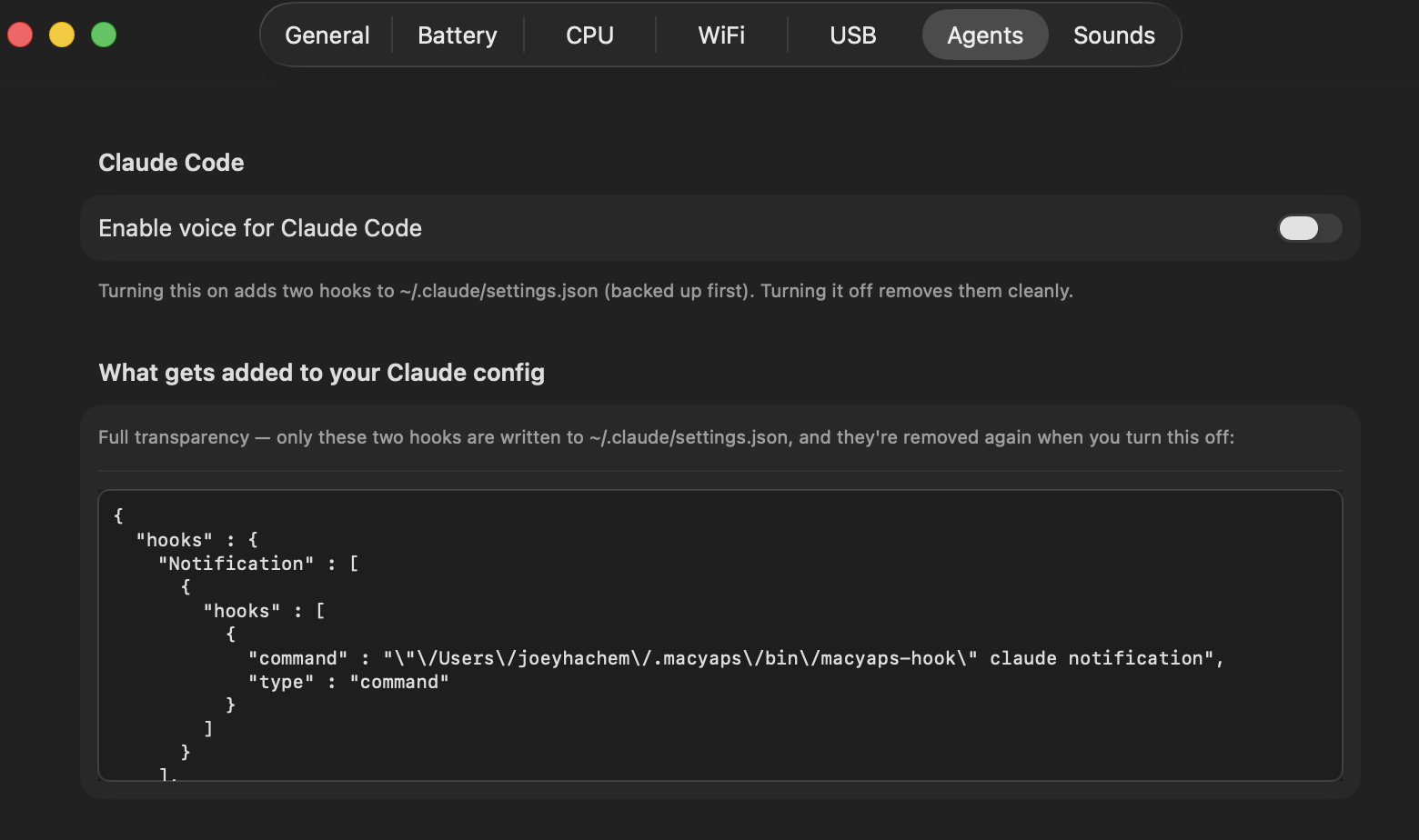
The hook is simple — living with it is the annoying part. A single afplay ding gets old fast, you're hand-editing JSON, every machine needs the same setup, and "done" and "needs you" end up sounding the same. MacYaps is the convenience layer on the exact mechanism above.
- One toggle instead of editing
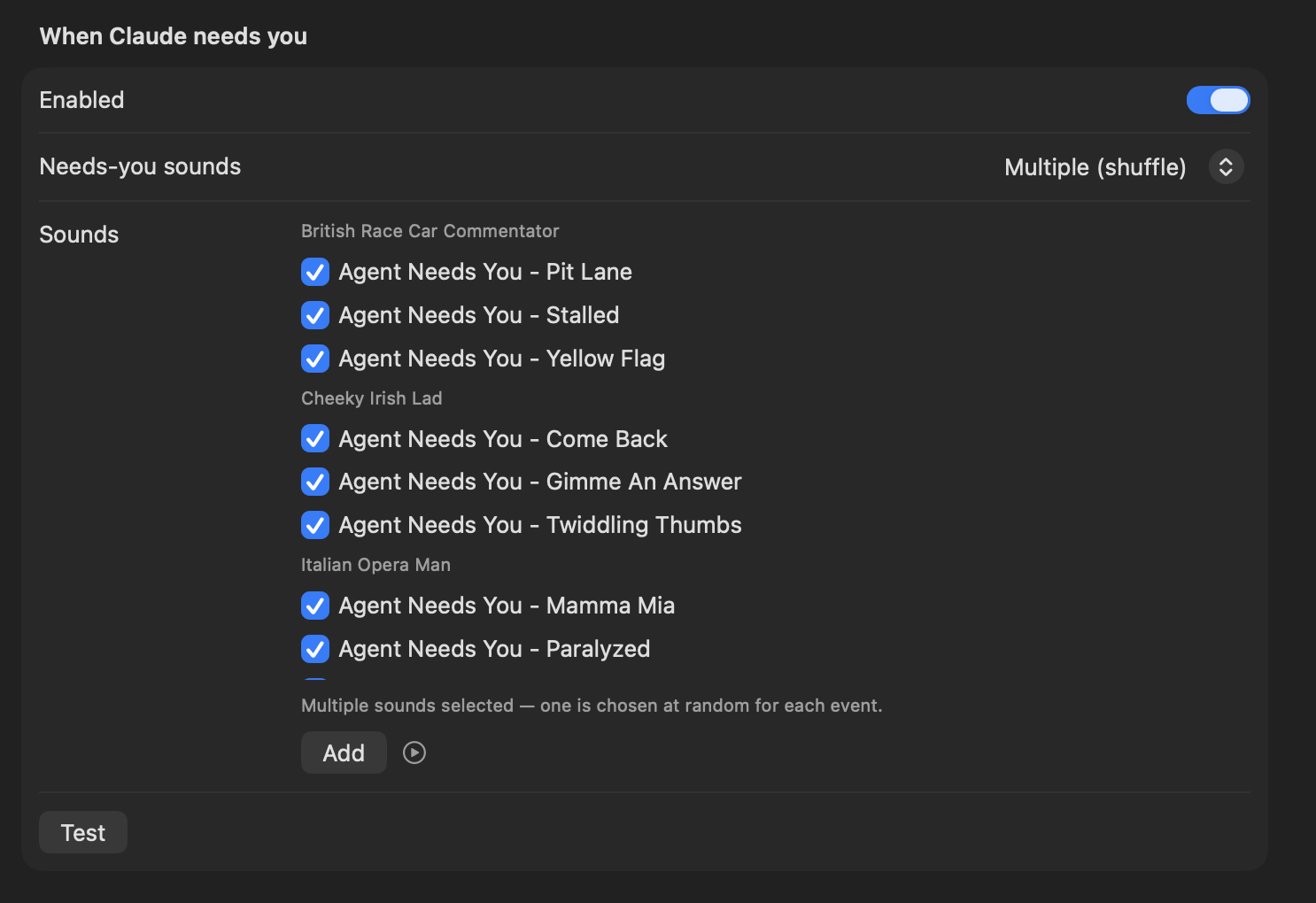
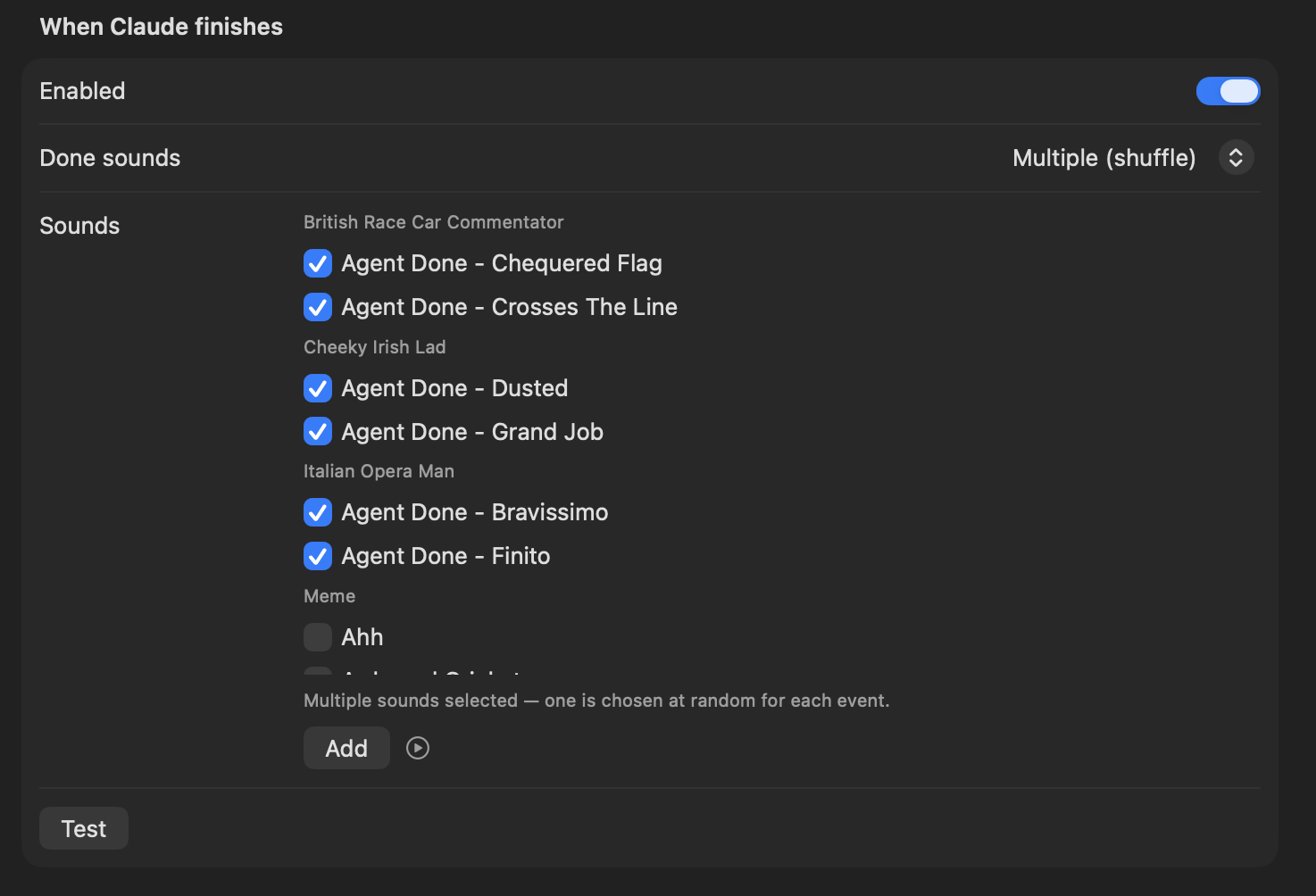
settings.jsonby hand — and it removes the hooks cleanly when you turn it off. - Distinct, non-repeating character voices for "needs you" vs "done", so it never blends into background noise.
- A menu-bar switch, per-event sound packs, and zero per-project setup.
FAQ
How do I make Claude Code play a sound when it's done?
Add a Stop hook to ~/.claude/settings.json that runs a sound command like afplay /System/Library/Sounds/Glass.aiff. Claude Code fires the Stop event when it finishes a turn, so the sound plays every time a task completes.
Can I use a different sound when Claude needs permission vs. finishes?
Yes — use the Stop hook for the finished sound and the Notification hook for the needs-input/permission sound, each pointing at a different file.
Does this work without MacYaps?
Completely. The setup on this page is the whole mechanism and uses only afplay, which ships with macOS. MacYaps just automates it and adds voices and a UI.
Will adding a hook slow Claude Code down?
No. The hook command is backgrounded with &, so the process returns immediately and adds no meaningful delay to turn completion.
How do I get a sound only when Claude needs my input?
In the Notification hook, read the event JSON on stdin and check that notification_type is permission_prompt before playing — see the advanced snippet above.
Does this work on Linux or Windows?
Yes — the hooks are the same; only the sound command changes (paplay/aplay on Linux, PowerShell's Media.SoundPlayer on Windows).